
Some WooCommerce shortcodes ask for the category ID to display a list of categories. More info at Shortcodes included with WooCommerce.
To find the product category ID:
- Go to: Products > Categories.
- Hover over a category name.
- Select the category or Edit.
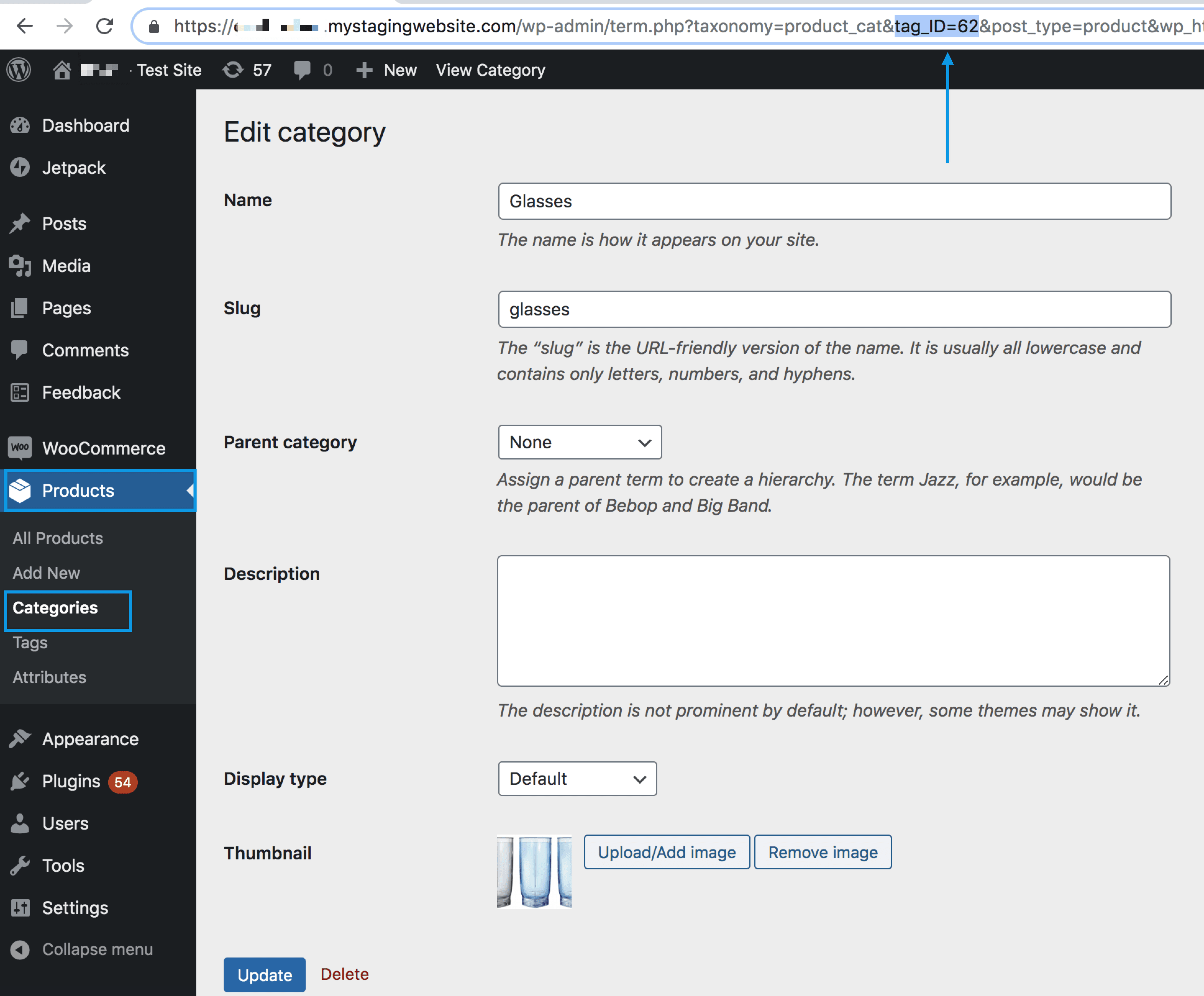
- Find the page URL. For example: Section
tag_ID=62where 62 is the ID of the category.
- To find a product ID, see Product at the WooCommerce Shortcodes list.
- To find an order ID, see WooCommerce Order ID.